Kindle Review 2026: Which Model Is Best for You?
Compare the 2026 Kindle lineup, including Kindle, Paperwhite, and Colorsoft models. Find the best Kindle for reading, travel, color content, and value.

Key Takeaway: The 2026 Kindle lineup features six models from $149.99 to $319.99. For most readers, the Kindle Paperwhite ($199.99) is the best all-around pick with its 7-inch 300 PPI glare-free display, adjustable warm lighting, and IPX8 waterproofing. Readers wanting color covers and illustrated titles should consider the Colorsoft ($289.99), while everyday novel readers will find excellent portability in the standard Kindle ($149.99).
This article contains affiliate links. If you purchase through these links, we may earn a commission at no additional cost to you. This does not affect our editorial recommendations.
The Amazon Kindle remains one of the most convenient ways to read books digitally. Its glare-free E Ink display, compact design, long battery life, and access to millions of books make it an appealing alternative to reading on a phone or tablet. The Kindle Store also offers bestsellers, independent titles, and Kindle-exclusive books that can be downloaded directly to a compatible device.
The 2026 Kindle lineup expands the choice with six models, ranging from the standard Kindle to premium aluminum and color-display editions. Prices in the supplied US lineup start at $149.99 and reach $319.99, with the biggest differences involving screen size, waterproofing, color support, storage, lighting, and premium features.
But which Kindle is actually worth buying? The least expensive model may be sufficient for everyday novels, while the Paperwhite offers a more versatile reading experience. Colorsoft models are better suited to readers who want color covers, illustrations, comics, and other visually rich content.
This review compares the six models, examines their practical advantages and limitations, and explains which Kindle offers the best fit for different reading habits.
Quick Verdict: Which Kindle Should You Buy?
For most readers, the Kindle Paperwhite is the strongest all-around choice. Its 7-inch display, adjustable warm light, waterproof construction, and claimed battery life of up to 12 weeks provide a compelling balance of comfort and practicality.
The standard Kindle is the more economical option for readers who primarily want to read novels and other text-based books. The Paperwhite Signature Edition is worth considering if you want more storage and premium convenience features, while the Colorsoft models make sense if color content is important to you.
Prices are the US prices supplied for this guide. Retail prices, promotions, availability, and regional configurations may vary.
| Kindle model | Starting price | Best for |
|---|---|---|
| Kindle | $149.99 | Everyday reading and portability |
| Kindle Aluminum | $189.99 | A premium-feeling compact e-reader |
| Kindle Paperwhite | $199.99 | Most readers and frequent reading |
| Kindle Paperwhite Signature Edition | $249.99 | Premium monochrome reading |
| Kindle Colorsoft | $289.99 | Reading books and illustrated content in color |
| Kindle Colorsoft Signature Edition | $319.99 | Color reading with premium features |
What Is the Amazon Kindle?
The Amazon Kindle is a dedicated electronic reading device designed primarily for digital books. Unlike a conventional tablet, it uses an E Ink display that resembles printed text more closely than a typical illuminated LCD screen.
A Kindle lets readers carry a large digital library in a lightweight device, adjust text size, bookmark pages, highlight passages, and access books through Amazon's digital ecosystem. Depending on the title and device, readers can also use features such as dictionaries, search, notes, and synchronization of reading progress.
The main advantage is focus. A Kindle is designed around reading rather than the notifications, social media, and applications that compete for attention on a smartphone.
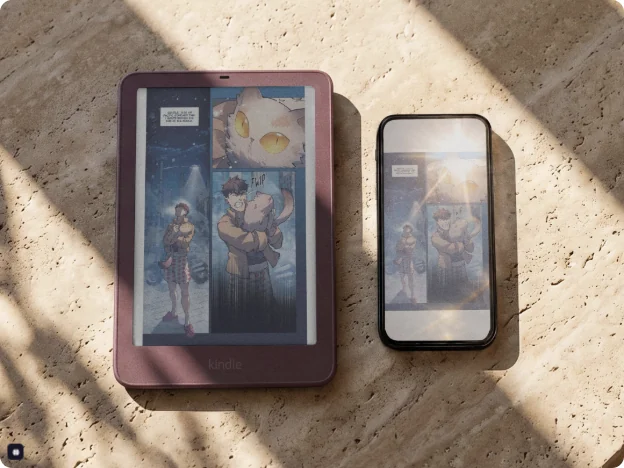
The 2026 range adds more choice for readers who want a compact device, a larger screen, premium materials, or color content.
2026 Kindle Models Compared
The six models share the same fundamental purpose, but their differences matter when choosing a device for long reading sessions, travel, or illustrated books.
1. Kindle (2026): Best for Everyday Reading
Price: From $149.99
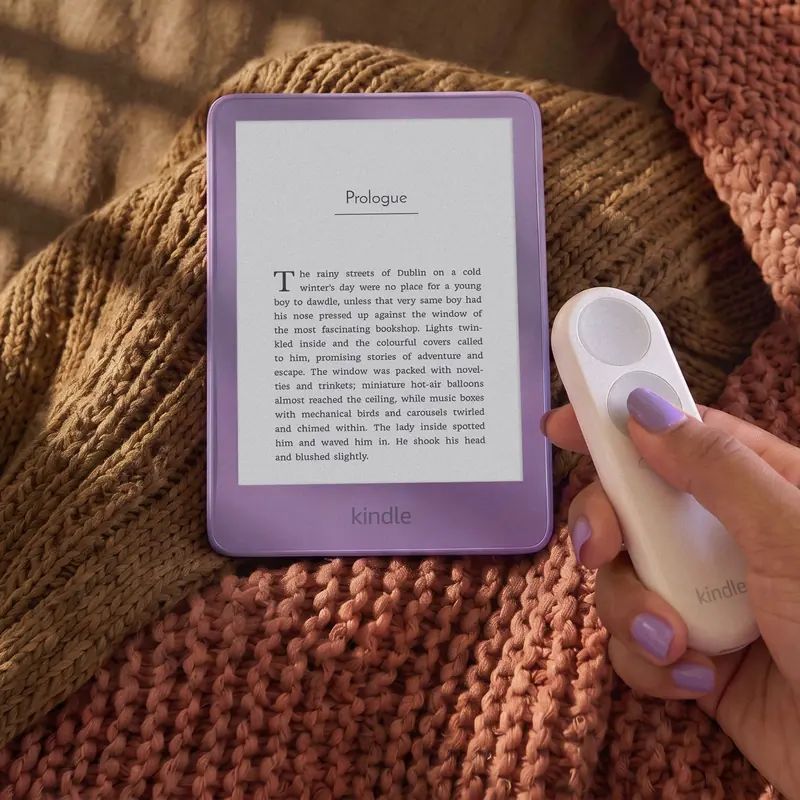
The standard Kindle is the entry point into Amazon's dedicated e-reader range. Its 6-inch, 300-pixel-per-inch (ppi) glare-free display is designed for crisp text in a compact format, making it easy to carry in a bag or read with one hand.
The 16 GB storage capacity is ample for a substantial collection of text-based books. Amazon lists battery life of up to six weeks, although actual results depend on usage and settings.
The supplied specifications also claim that pages open 30% faster than on the previous model. That could make browsing a library and moving between books feel more responsive, although the practical difference should be judged through hands-on testing.
Advantages
- Compact 6-inch, 300 ppi display.
- 16 GB of storage.
- Up to six weeks of claimed battery life.
- Lower entry price than the premium models.
- Available in Graphite and Ube.
Limitations
- No waterproofing.
- No adjustable warm light.
- The standard configuration includes lock-screen ads.
- Smaller display than the Paperwhite and Colorsoft models.
Verdict: Choose the standard Kindle if you mainly read novels, nonfiction, and other text-heavy books. It covers the essentials without requiring you to pay for premium materials or color functionality.
2. Kindle Aluminum (2026): Best Compact Premium Design
Price: From $189.99
The Kindle Aluminum keeps the compact 6-inch display and six-week battery-life claim of the standard Kindle but adds an aluminum back and doubles storage to 32 GB.
Its Alpine Sky and Seaglass Green finishes provide a different aesthetic for readers who want something more distinctive than the standard Graphite or Ube options.
The extra $40 over the entry-level model buys a more premium exterior and additional storage. However, it does not increase the screen size or battery-life rating, and the supplied specifications do not list waterproofing or adjustable warm light.
Advantages
- Aluminum back.
- 32 GB of storage.
- Compact 6-inch, 300 ppi display.
- Up to six weeks of claimed battery life.
- Alpine Sky and Seaglass Green finishes.
Limitations
- Still has a relatively small screen.
- No listed waterproof rating.
- No adjustable warm light in the supplied specifications.
- Costs more without adding the Paperwhite's main functional upgrades.
Verdict: The Aluminum Kindle is best for readers who value materials, color options, and extra storage more than a larger screen or water resistance. For buyers focused on practical reading features, compare it carefully against the standard Kindle and the entry-level Paperwhite.
Check the Kindle Aluminum on Amazon →
3. Kindle Paperwhite (2026): Best Overall Kindle for Most Readers
Price: From $199.99 with ads; $219.99 without ads
The Kindle Paperwhite is the most versatile option in this lineup for readers who want a device they can use almost anywhere.
Its 7-inch, 300 ppi glare-free display provides more reading space than the standard Kindle while retaining the sharp monochrome text that makes dedicated e-readers useful. The larger screen can be particularly helpful for larger font sizes, nonfiction, and reading for extended periods.
The adjustable warm light allows the screen's color temperature to be changed for a warmer appearance in the evening. Its IPX8 waterproof rating is another important advantage for reading beside a pool, in the bath, or during travel. Amazon's stated rating covers immersion in up to two meters of fresh water for up to 60 minutes under specified test conditions; it is not a guarantee against every type of water damage.
With up to 12 weeks of claimed battery life, the Paperwhite is also the strongest option in this group for readers who want to minimize charging.
Advantages
- Larger 7-inch, 300 ppi display.
- Adjustable warm light.
- IPX8 waterproof rating.
- 16 GB of storage.
- Up to 12 weeks of claimed battery life.
- Available with or without lock-screen ads.
Limitations
- More expensive than the standard Kindle.
- Monochrome display rather than color.
- Larger footprint than the 6-inch models.
- The no-ads configuration costs more.
Verdict: The Paperwhite is the best starting recommendation for most people. Its larger screen, warm light, waterproof design, and long battery life make it a more flexible everyday reader than the basic Kindle.
Check the Kindle Paperwhite on Amazon →
4. Kindle Paperwhite Signature Edition (2026): Best Premium Monochrome Kindle
Price: $249.99
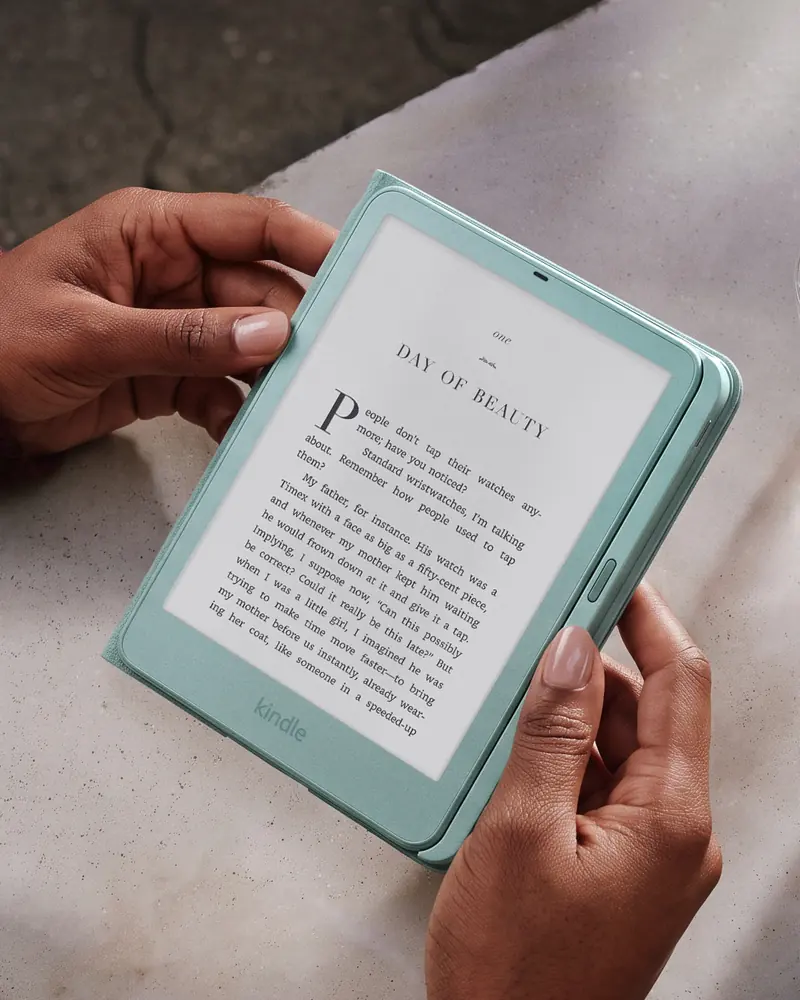
The Paperwhite Signature Edition builds on the regular Paperwhite with an aluminum back, 32 GB of storage, an auto-adjusting front light, double-tap page turns, compatible charging-dock support, and no lock-screen ads.
It retains the 7-inch, 300 ppi monochrome display, adjustable warm light, waterproof construction, and claimed battery life of up to 12 weeks.
The main question is whether its additional convenience features justify the price. The extra storage is useful for readers who maintain large libraries, while the auto-adjusting light can reduce the need to adjust brightness manually. Charging-dock support is convenient if you prefer placing your device on a compatible stand rather than connecting a cable.
Advantages
- Premium aluminum construction.
- 32 GB of storage.
- Auto-adjusting front light.
- Double-tap page turns.
- Compatible charging-dock support.
- No lock-screen ads.
- Waterproof design and warm light.
Limitations
- Considerably more expensive than the standard Paperwhite.
- Does not add color to the display.
- Some premium features may have little practical value to occasional readers.
- Charging-dock accessories may cost extra.
Verdict: Choose the Signature Edition if you read frequently and value the upgraded finish, automatic lighting, extra storage, and ad-free experience. For readers who simply want a good waterproof e-reader, the standard Paperwhite is likely sufficient.
Check the Kindle Paperwhite Signature Edition on Amazon →
5. Kindle Colorsoft (2026): Best for Color Reading
Price: $289.99
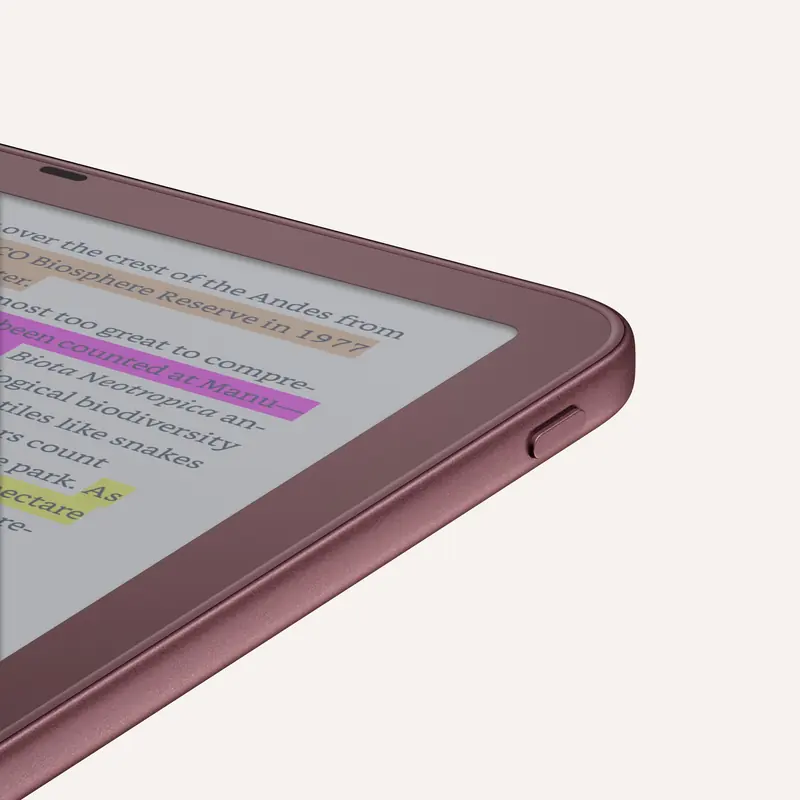
The Kindle Colorsoft introduces a 7-inch color display to the comparison. It is designed for readers who want more than monochrome text, including people who regularly read illustrated books, graphic novels, comics, cookbooks, and other content where color matters.
The supplied specifications list 300 ppi for black-and-white content and 150 ppi for color. This distinction matters: color content does not have the same stated pixel density as monochrome text, so readers should not assume that the two modes will look equally sharp.
The Colorsoft also includes 16 GB of storage, an adjustable warm light, waterproofing, and up to eight weeks of claimed battery life.
Its higher price is justified most easily when color is a meaningful part of your reading. For someone who primarily reads novels, a monochrome Paperwhite may deliver better value.
Advantages
- 7-inch color display.
- 300 ppi monochrome and 150 ppi color specifications.
- Adjustable warm light.
- Waterproof construction.
- 16 GB of storage.
- Up to eight weeks of claimed battery life.
Limitations
- More expensive than the monochrome Paperwhite.
- Color content has a lower stated pixel density.
- Shorter claimed battery life than the Paperwhite.
- Color alone may not improve the experience of reading ordinary novels.
Verdict: The Colorsoft is the better fit if you regularly read illustrated material and want color without moving to a conventional tablet. It is less compelling for readers whose libraries consist almost entirely of standard text-based books.
Check the Kindle Colorsoft on Amazon →
6. Kindle Colorsoft Signature Edition (2026): Best Premium Color Kindle
Price: $319.99
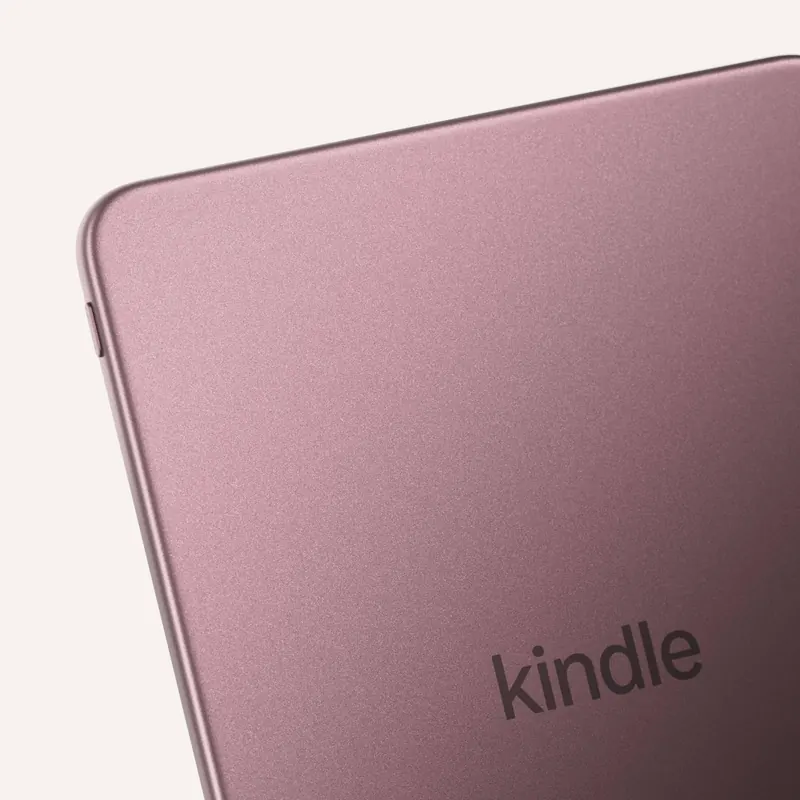
The Colorsoft Signature Edition combines the color-reading experience of the Colorsoft with premium features, including an aluminum back, 32 GB of storage, an auto-adjusting light, double-tap page turns, and charging-dock support.
It is listed in Graphite and Fig, offering more choice in appearance alongside the added convenience features.
For readers who want color, the Signature Edition provides the most fully equipped option in the six-model range. However, the $30 difference from the standard Colorsoft should be considered against your actual needs. Extra storage and automatic lighting may be worthwhile for frequent readers, but they are not essential to everyone.
Advantages
- 7-inch color display.
- 32 GB of storage.
- Premium aluminum construction.
- Auto-adjusting front light.
- Double-tap page turns.
- Compatible charging-dock support.
- Waterproof design and adjustable warm light.
Limitations
- Highest price in this six-model lineup.
- Color content has a lower stated pixel density than monochrome text.
- Premium extras may not justify the cost for casual readers.
Verdict: Choose the Colorsoft Signature Edition if color is essential and you also want premium materials, more storage, and automatic lighting. Otherwise, the standard Colorsoft offers the core color-reading experience at a lower price.
Check the Kindle Colorsoft Signature Edition on Amazon →
Kindle Specifications Comparison Table
The following table summarizes the supplied specifications for all six models.
Battery estimates are manufacturer-style maximum claims, not guarantees of real-world runtime. Storage capacity and available user storage are not identical. Confirm exact configurations, regional availability, and feature details on the relevant Amazon product page before purchasing.
| Feature | Kindle | Kindle Aluminum | Paperwhite | Paperwhite Signature | Colorsoft | Colorsoft Signature |
|---|---|---|---|---|---|---|
| US price from | $149.99 | $189.99 | $199.99 | $249.99 | $289.99 | $319.99 |
| Display | 6-inch | 6-inch | 7-inch | 7-inch | 7-inch color | 7-inch color |
| Monochrome resolution | 300 ppi | 300 ppi | 300 ppi | 300 ppi | 300 ppi | 300 ppi |
| Color resolution | — | — | — | — | 150 ppi | 150 ppi |
| Storage | 16 GB | 32 GB | 16 GB | 32 GB | 16 GB | 32 GB |
| Claimed battery life | Up to 6 weeks | Up to 6 weeks | Up to 12 weeks | Up to 12 weeks | Up to 8 weeks | Up to 8 weeks |
| Warm light | No | No | Yes | Yes | Yes | Yes |
| Waterproof | No | No | Yes | Yes | Yes | Yes |
| Aluminum back | No | Yes | No | Yes | No | Yes |
| Auto-adjusting light | No | No | No | Yes | No | Yes |
| Lock-screen ads | Standard configuration | Confirm configuration | Available | No | Confirm configuration | Confirm configuration |
1. A glare-free E Ink display
A Kindle's E Ink display is designed to resemble printed text rather than the typical screen of a phone or tablet. This can make it a more comfortable option for long reading sessions, particularly when you want a device dedicated to books.
A glare-free display does not mean the screen is immune to reflections in every lighting condition. Nor does it mean that reading will be equally comfortable for every person. Screen size, font settings, ambient lighting, and individual visual preferences still matter.
2. Long battery life
Kindle battery life is one of its main advantages over conventional tablets. The supplied specifications range from up to six weeks for the compact models to up to 12 weeks for the Paperwhite models.
Actual runtime depends on brightness, wireless connectivity, reading time, and other settings. Treat the advertised figures as maximum estimates under defined conditions rather than expected results for every user.
3. Access to a large digital library
The Kindle Store provides access to millions of titles worldwide, including bestsellers and Kindle-exclusive releases. Readers can browse and purchase compatible titles through Amazon and download them to their registered devices.
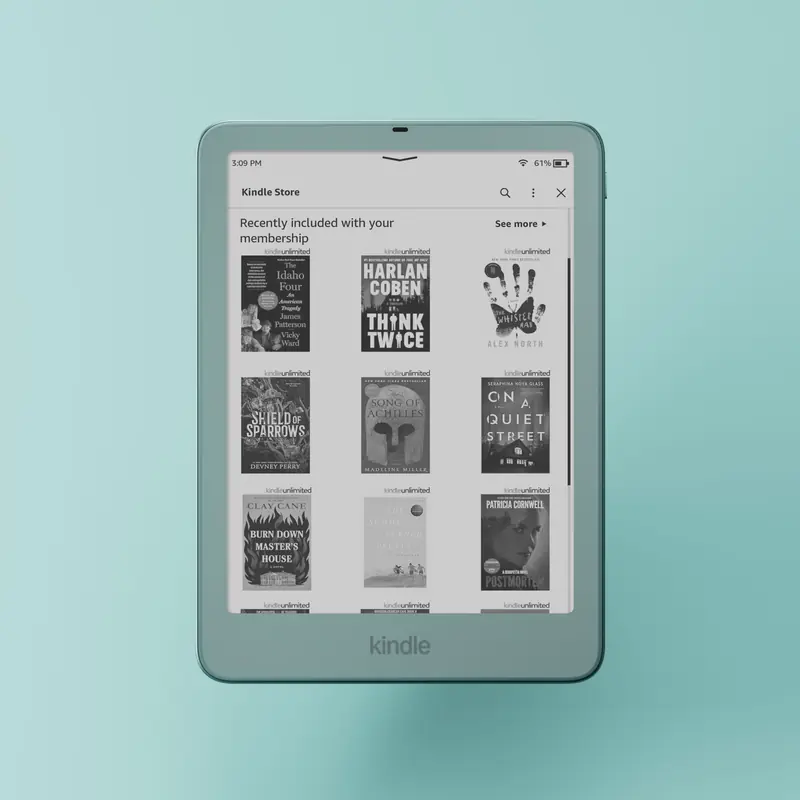
Availability varies by country, language, publisher, and title. A Kindle's value therefore depends partly on whether the books you want are available in your preferred marketplace.
4. Adjustable reading settings
Digital text allows readers to change font size and other reading settings to suit their preferences. This can be useful for people who want larger text or a more customized reading layout.
The Paperwhite and Colorsoft families add adjustable warm lighting, while Signature Editions add automatic lighting adjustment. These features are especially useful if you read at different times of day or in changing environments.
5. A device built around reading
A dedicated Kindle reduces the temptation to switch between reading and unrelated apps. For readers who want to build a consistent reading habit, that simplicity can be more valuable than having a multipurpose tablet.
Kindle vs. Kindle Paperwhite: Is the Upgrade Worth It?
For most buyers comparing the standard Kindle with the Paperwhite, the decision comes down to portability and price versus reading comfort and versatility.
The standard Kindle costs less and has a smaller display. It is an excellent fit for text-heavy books and readers who want a compact device.
The Paperwhite costs more but adds a larger 7-inch screen, adjustable warm light, waterproofing, and a longer claimed battery life.
The $50 difference between the supplied starting prices is relatively small compared with the overall purchase cost. If you read daily, travel frequently, or want to use your e-reader near water, the Paperwhite's additional features can make the upgrade worthwhile.
Recommendation: Buy the standard Kindle if your priority is a simple, compact reading device. Choose the Paperwhite if you want a more versatile Kindle that is better suited to varied environments and frequent use.
Kindle Paperwhite vs. Kindle Colorsoft: Which Is Better?
This comparison is less about which device is universally better and more about the content you read.
The Paperwhite is a monochrome e-reader with a strong combination of screen size, battery life, warm lighting, and waterproofing. It is the more economical choice for novels, essays, and most conventional text-based books.
The Colorsoft adds a color display, making it more useful for content that relies on illustrations, color diagrams, or visually distinct elements. It also costs considerably more and has a shorter stated battery-life estimate.
Color can improve the experience of reading certain books, but it is not automatically an improvement for every reader.
Recommendation: Choose the Paperwhite for primarily text-based reading and value. Choose the Colorsoft if color content is important enough to justify the additional cost.
Kindle vs. Tablet: Which Should You Choose?
A Kindle and a tablet serve different purposes.
A tablet is usually more versatile, particularly for video, interactive content, and full-color applications. A Kindle is more specialized and can be a better choice if your main goal is to read books without the distractions of a general-purpose device.
If you mainly read novels, the Kindle is worth considering. If you need extensive color, interactive textbooks, or complex PDF workflows, evaluate whether a tablet or a larger reading device would better fit your needs.
| Consideration | Kindle e-reader | Conventional tablet |
|---|---|---|
| Main purpose | Reading digital books | General computing and media |
| Display | E Ink designed for reading | Usually LCD or OLED |
| Color | Monochrome or color, depending on model | Usually full color |
| Battery use | Designed for extended reading between charges | Depends heavily on screen and application use |
| Apps and entertainment | More limited | Broad application ecosystem |
| Best fit | Focused reading | Video, web browsing, apps, and mixed tasks |
Is the Kindle Waterproof?
Not every Kindle is waterproof.
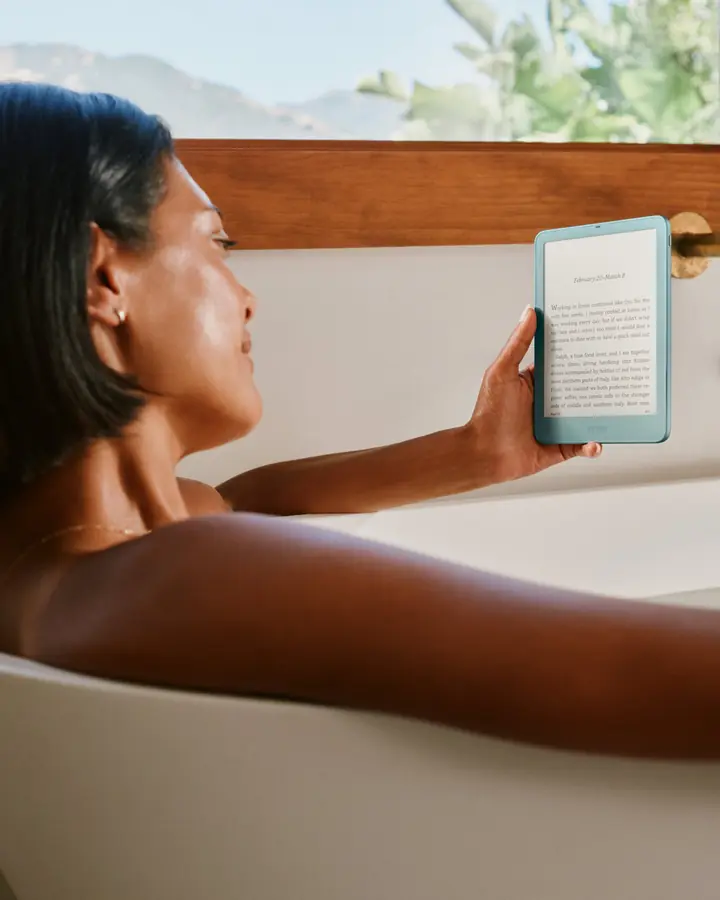
According to the specifications supplied for the 2026 range, the Paperwhite, Paperwhite Signature Edition, Colorsoft, and Colorsoft Signature Edition include waterproofing. The standard Kindle and Kindle Aluminum do not.
The Paperwhite's stated IPX8 rating covers immersion in up to two meters of fresh water for up to 60 minutes under specified conditions. Waterproofing is intended to provide additional protection, not eliminate all risk of damage. Water resistance can vary with wear and damage, and salt water, soap, and other liquids may present different risks.
If you frequently read in the bath, by a pool, or on a beach, choose a waterproof model and follow Amazon's care instructions.
How Much Kindle Storage Do You Need?
For most readers, 16 GB is sufficient for a large collection of text-based e-books. Digital novels generally require relatively little storage compared with large media files.
The 32 GB models are more attractive if you want to maintain a larger downloaded library, keep more content available offline, or store larger illustrated publications.
The key distinction is between the advertised capacity and the space available to books and other user content, since system software also occupies storage.
Recommendation: Choose 16 GB for a typical text-based library. Consider 32 GB if you frequently download illustrated books or prefer to keep a large collection stored locally.
Kindle With Ads vs. Without Ads
The supplied pricing lists the standard Paperwhite at $199.99 with lock-screen ads and $219.99 without them. The $20 difference buys an ad-free lock screen.
Whether that upgrade is worthwhile depends on your preferences. If you rarely see the lock screen and want to minimize your purchase cost, the ad-supported configuration may be adequate. If you prefer a cleaner device experience, paying extra to remove ads may be worth considering.
Check the specific product configuration before ordering. Ad availability, pricing, and removal options can differ between models and marketplaces.
Which Kindle Is Best for Different Readers?
Best Kindle for most people: Kindle Paperwhite. Its larger display, adjustable warm light, waterproofing, and long claimed battery life provide the strongest overall balance.
Best budget-oriented Kindle: Standard Kindle. It is the most affordable model in the supplied lineup and covers the core needs of text-based reading.
Best compact Kindle with premium materials: Kindle Aluminum. It offers an aluminum back and 32 GB of storage while retaining the smaller form factor.
Best premium black-and-white Kindle: Paperwhite Signature Edition. It combines the Paperwhite's practical reading features with extra storage, automatic lighting, and premium convenience features.
Best Kindle for comics and illustrated books: Kindle Colorsoft. Its color display is the main reason to choose it over a monochrome e-reader.
Best premium color Kindle: Colorsoft Signature Edition. It combines color reading with 32 GB of storage and additional convenience features.
2026 Kindle Prices and Availability
The supplied US lineup ranges from $149.99 for the standard Kindle to $319.99 for the Colorsoft Signature Edition.
According to the supplied launch information, the standard Kindle and Kindle Aluminum are available now, while the Paperwhite, Paperwhite Signature Edition, Colorsoft, and Colorsoft Signature Edition are scheduled to ship on October 28, 2026.
Because product availability and pricing can change, check the relevant Amazon listing for the latest price, shipping date, color options, and configuration.
Amazon also supports trade-ins for eligible older devices. The availability and value of a trade-in depend on eligibility and the applicable offer.
Explore the Kindle range: Explore the Amazon Kindle Store
Final Verdict: Is a Kindle Worth Buying in 2026?
The Kindle remains a strong option for people who want a dedicated device for digital reading. Its main advantages are the glare-free E Ink display, compact design, long claimed battery life, and access to Amazon's extensive digital book catalog.
The best model depends on how you read. The standard Kindle provides the essentials at the lowest supplied price. The Kindle Aluminum adds premium materials and storage. The Paperwhite offers the strongest balance of comfort and versatility, while the Signature Edition adds convenience features for frequent readers. Colorsoft models are the natural choice for people who want color content.
For most readers, the Kindle Paperwhite is the best Kindle to buy in 2026. It adds meaningful everyday benefits over the standard Kindle without requiring the premium price of the Signature Edition or Colorsoft.
If you mainly read text-based books and want to spend less, the standard Kindle remains a sensible alternative. If color is central to your reading, the Colorsoft is worth the additional investment.
The best Kindle is not necessarily the most expensive model. It is the one whose screen, features, and price match the way you actually read.
Editorial note: Prices and specifications in this article are based on the supplied 2026 lineup information. Verify the exact model specifications, release availability, and current prices on Amazon before publication or purchase.
---
FAQ
What is the best Kindle to buy in 2026?
The Kindle Paperwhite is the strongest all-around recommendation for most readers. It combines a 7-inch, 300 ppi display, adjustable warm light, waterproofing, 16 GB of storage, and a claimed battery life of up to 12 weeks.
Which Kindle is the cheapest?
The standard Kindle is the least expensive model in the supplied 2026 lineup, starting at $149.99 in the US.
Is the Kindle Paperwhite better than the regular Kindle?
The Paperwhite offers a larger display, adjustable warm light, waterproofing, and a longer claimed battery life. The regular Kindle is smaller and less expensive, making it a better fit for readers who prioritize portability and basic functionality.
Is Kindle Colorsoft worth the extra money?
Colorsoft is worth considering if you regularly read comics, illustrated books, cookbooks, or other color-rich content. For readers who mostly read novels and standard text, the monochrome Paperwhite may provide better value.
Can you read a Kindle in the bath?
The Paperwhite and Colorsoft models in the supplied lineup have waterproofing, making them more suitable for reading near water. However, waterproofing is not a guarantee against all water damage, so follow the manufacturer's precautions.
How long does a Kindle battery last?
The supplied specifications claim up to six weeks for the standard Kindle and Kindle Aluminum, up to 12 weeks for the Paperwhite models, and up to eight weeks for the Colorsoft models. Actual battery life varies with usage and settings.
How many books can a 16 GB Kindle hold?
There is no fixed number because file sizes vary. A 16 GB Kindle can generally accommodate a large collection of ordinary text-based e-books, but illustrated books and other large files consume more storage.
Does a Kindle require an Amazon subscription?
A Kindle requires an Amazon account to access and purchase books through the Kindle Store. Buying individual e-books does not inherently require a Kindle subscription, although services such as Kindle Unlimited require a separate eligible subscription.
Can you read books without an internet connection?
Yes. Books already downloaded to a Kindle can generally be read offline. An internet connection is needed for activities such as downloading new purchases and synchronizing certain content or settings.
Can you trade in an old Kindle?
Amazon offers trade-in options for eligible devices in supported markets. Check the current terms and eligibility for your device and location before relying on a trade-in credit.
Important: Information in this guide is provided for general purposes and is not a substitute for professional medical, vision, or accessibility advice. A reading pen is an assistive tool that provides access to printed text — it does not diagnose, treat, or correct any reading, vision, or attention-related condition. Last reviewed: August 2026.
← All 38 guides